
Monkey - make new friends
Monkey GroupSocial
3.717.53K Reviews
- Version
- 7.71.0
- Installs
- 10.00M
- Age Rating
- Mature 17+
Screenshots



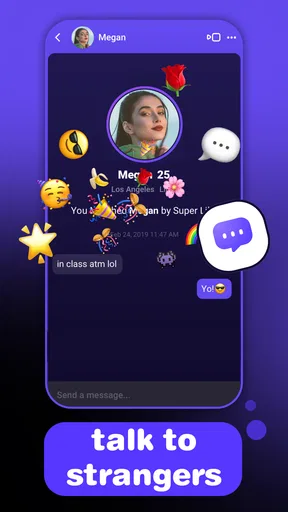
Our Review of Monkey - make new friends
 Analysis by Appyee
I found Monkey most interesting when I stopped treating it like a normal messaging app. It is a social app built around instant video conversations with new people, so the main experience is less about maintaining an existing contact list and more about deciding, in real time, whether a new interaction feels comfortable and worth continuing. That makes it lively, but it also means the app demands more attention and judgment than a quiet text-based network.
In my experience, the best way to understand it is as a spontaneous meeting place rather than a replacement for private messaging. You open it when you want a quick social moment, a chance to meet someone outside your usual circle, or an easy way to make a conversation feel more personal through live video. The appeal is immediate: there is no long profile-building exercise before the social part begins. The trade-off is equally clear: unpredictability is part of the product, not a flaw that can be completely removed.
How Monkey fits into everyday shared-device life
A realistic household example is a shared tablet or a phone that several people use at different times. One person may want to use it for a short video-chat session while another uses the same device for schoolwork, entertainment, or ordinary communication. In that situation, the important question is not simply whether the app works. It is whether everyone in the household understands whose account is active, who is allowed to use the app, and what should happen when a conversation becomes uncomfortable.
I would avoid treating Monkey as a casual background app that anyone can open without checking. Because the core activity involves live contact with unfamiliar people, the person using it should be the person who intentionally starts the session. A shared device makes this more important: handing over the phone without checking the active account can create confusion about conversations, contacts, or settings. I recommend closing the session and returning to the device's normal lock screen before another household member takes over.
This is also an app where headphones can improve the shared-device experience. They reduce the chance that a conversation becomes audible throughout the room, although they do not solve every privacy concern. The person using the app still needs a comfortable place to stop the call, leave the interaction, and ask for help if something feels wrong. A busy kitchen or living room may be convenient, but it is not always the best setting for a spontaneous video conversation.
For adults sharing a device with other adults, the arrangement can work if each person keeps a clear boundary around their own use. I would not assume that a shared phone automatically creates a shared social account. The safer habit is to treat the active session as personal, check who is signed in before starting, and avoid letting another person continue an open conversation under the wrong identity.
Starting with the right expectations
The setup is straightforward in the sense that Monkey is free to install and use, but free access does not mean every part of the experience is cost-free. The app includes in-app purchases ranging from under a dollar to more than forty dollars per item, so I would review purchase settings before allowing another household member to use the device. That is especially sensible when a payment method is already attached to the phone or tablet.
I would also consider the operating system before planning around the app. Monkey requires Android 6.0 or later, which covers many older devices but not every phone that may still be circulating in a household. On a compatible device, the current version is 7.67.0. Keeping the app current is a reasonable maintenance step, but I would still test the camera, microphone, and network connection before relying on it for a planned conversation.
The developer is Monkey Group, and the app belongs to the social category rather than a conventional private-chat or family-communication category. That distinction matters. If your goal is to coordinate shopping, check in with relatives, or send a message to someone you already know, a familiar messaging service is usually a better fit. Monkey makes more sense when discovery and live interaction are the point.
Account boundaries matter more than convenience
On a shared device, I would create a simple handoff routine: finish the conversation, leave the app, check that the correct person is using the device, and only then pass it on. This takes less time than sorting out an awkward mix-up later. I would not rely on another person remembering which screen was open, particularly if several people use the same phone during the day.
Another useful boundary is deciding when the app may be used. A person may be comfortable with spontaneous video chat in a private room but not while commuting, studying, or sitting beside younger family members. These are not technical controls; they are household agreements. Monkey works best when the user can give the conversation full attention and end it without pressure.
There is also a practical difference between an account boundary and a device boundary. A device can be shared, but a live conversation should not be casually shared. If someone wants to show a friend what the app is like, I would end the current interaction first rather than turning the camera toward another person without warning. That small rule protects everyone involved and keeps the user in control of the session.
Coordinating a session without making it awkward
Monkey is not the app I would choose for arranging a detailed group event. Its value is in quick, individual social contact, so coordination should stay simple. In a household, it helps to agree on a rough time window and a quiet place, then let the user decide whether to continue. This avoids the common problem where someone expects the device back immediately while a conversation is still active.
If two people in the same home want to use it, I would schedule separate turns rather than passing the device back and forth during an open session. That gives each person a clean start and reduces the chance of accidentally exposing the previous user's conversation. It also makes the experience less disruptive for everyone else in the room.
For a user who wants to meet people while traveling or during a break, the app can be more appealing than a traditional social feed. A feed rewards browsing, reactions, and gradual discovery; Monkey places the social moment closer to the front. The advantage is energy. The disadvantage is that a live interaction leaves less time to compose a careful response or inspect someone's identity before engaging.
That difference should guide expectations. If you prefer to read profiles, exchange messages, and decide slowly, a text-first service will probably feel more comfortable. If you enjoy brief, direct conversations and can leave quickly when the match is not right, Monkey offers a more immediate style. I would not call one approach universally better; they serve different moods and levels of social confidence.
What the live format does well
The strongest part of Monkey is the reduction of distance that comes from video. A short conversation can feel more human than a long sequence of typed messages, and the format makes it easier to notice tone, energy, and whether the other person is actually engaged. For someone tired of scrolling through passive content, that immediacy can be refreshing.
I also like that the app can suit small pockets of free time. A user does not need to commit to building a large online presence before trying it. A quick session during a break can be enough. The key is to treat that convenience as a reason to stay selective, not as a reason to accept every interaction automatically.
One practical tip is to decide your exit rule before starting. For example, I would leave immediately if the other person ignores a clear boundary, pressures me to continue, or makes the conversation unpleasant. Making that decision in advance helps because live interactions can create social pressure; users often stay longer than they intended simply because ending the call feels rude.
Another useful habit is to keep the camera environment in mind. A video app can reveal more than the user intended through a background, reflection, document, school uniform, or family member walking past. Before starting, I would check what is visible behind me and remove anything that identifies the home or exposes someone else. This is especially important on a shared device that moves between rooms.
Where the experience becomes uncomfortable
Spontaneous video chat naturally brings friction. The other person may not match your interests, the conversation may end abruptly, or the interaction may feel awkward from the first second. That is part of the format, but it can still become tiring if you are looking for predictable, carefully moderated communication.
Live video also requires more from the device and the user than text chat. A weak connection, poor lighting, or a noisy room can make a short interaction feel harder than it should. I would not judge the whole app from one bad call, but I would recognize that Monkey is at its best when the phone has a stable connection and the user is somewhere they can speak comfortably.
The purchase model is another point to watch. Since optional items can cost from $0.99 to $40.99 each, I would not hand the device to a child or guest assuming that “free” eliminates spending risk. The sensible approach is to check the platform's purchase protections and make the household rule clear before use. That is a general device-management step, but it matters more here because the app is designed for repeated, spontaneous sessions.
I would also skip Monkey if you strongly dislike being on camera, need a dependable identity check before talking, or want a service centered on people you already know. The app's central appeal becomes a disadvantage in those cases. A private messenger, an interest-based community, or a slower social network may give you more control and less uncertainty.
Age, trust, and household conversations
Monkey carries a Mature 17+ content rating, and I would take that seriously when deciding who may use it. It is not an app I would casually recommend to a younger teenager just because the interface looks approachable. The age label should be part of the household decision, alongside the user's maturity, judgment, and ability to end an unwanted conversation.
For an adult, the rating is a reminder to keep expectations realistic rather than a guarantee that every interaction will be suitable or comfortable. I would explain to any new user that a stranger's confidence, friendliness, or polished appearance does not establish trust. Trust should build slowly, and no live conversation is worth revealing private details, moving to another service under pressure, or ignoring a warning sign.
For families, I would discuss specific examples instead of giving only a vague warning. Do not share an address, school details, passwords, financial information, travel plans, or identifying views of the home. Do not show another household member without their permission. If a conversation turns sexual, threatening, manipulative, or simply unsettling, leave and tell a trusted adult or household member. These rules are useful because they give the user an action to take, not just a reason to feel nervous.
There is a difference between supervision and trust. An adult may trust a mature user to make good decisions while still agreeing that the app is used in a common area, during certain hours, or with a quick check-in afterward. Those arrangements should be discussed openly rather than imposed as hidden monitoring. Monkey is more manageable when everyone understands the boundaries.
How it compares with familiar social alternatives
Compared with a standard messaging app, Monkey is more spontaneous and less efficient for practical communication. I would use a messenger to reach a known person, send a file, plan a meeting, or continue a conversation later. I would use Monkey when the point is to encounter someone new through live video and see whether a brief exchange develops.
Compared with a social feed, it is less passive. A feed lets you observe content without speaking, while Monkey asks you to participate more directly. That can be a welcome change for someone who wants actual conversation, but it is not ideal when you are tired, in public, or looking for quiet entertainment.
Compared with interest-based communities, Monkey offers less time to establish shared context before the interaction starts. A forum or group chat can make it easier to find people around a specific hobby, while Monkey is better suited to open-ended social discovery. If your priority is finding a study partner, gaming team, or specialist discussion, a focused community will usually be more efficient.
My less obvious comparison is with ordinary phone calls. A call to someone you know is predictable, but it lacks the discovery element. Monkey sits between a call and a social network: it has the immediacy of a call without the existing relationship. That combination explains both its charm and its need for stronger personal boundaries.
Who will get the most from it
I think Monkey is a good match for adults who enjoy short conversations, do not mind being on camera, and can make quick decisions about who deserves their attention. It may also suit someone who wants a more active alternative to endless scrolling. The app's social category and live format make it feel more like participation than consumption.
It is less suitable for people who need predictable moderation, detailed identity information, or a calm environment for every interaction. I would also avoid recommending it to anyone who feels pressured to be polite to strangers even when uncomfortable. The ability to leave is not a minor convenience here; it is central to using the app responsibly.
With a shared device, the best user is someone who can respect account separation and household privacy. If several people are likely to open the app without checking who is signed in, I would choose a different arrangement or a different service. The social experience is only worthwhile when the device handoff does not create new privacy problems.
My household verdict
Monkey has a clear identity: it is a free social app from Monkey Group that puts live video interaction ahead of slow profile browsing or ordinary messaging. Its average rating is 3.8 from around 73 thousand ratings, and it has passed the ten-million-install mark, which shows that the concept has reached a substantial audience. Those figures do not remove the need for judgment, but they help place the app in context as an established social product rather than an obscure experiment.
I would recommend trying it when you specifically want spontaneous video conversations and have the privacy, time, and confidence to manage them. I would not install it as a general family communication tool, and I would not treat it as suitable for younger users simply because access is easy. The Mature 17+ rating, the live format, and the possibility of optional purchases all deserve a deliberate household conversation.
My final advice is simple: use a personal account, check the device before starting, choose a setting where you can leave comfortably, and decide your boundaries in advance. If that sounds like reasonable preparation for the kind of social experience you want, Monkey can be an engaging way to meet people beyond your usual circle. If you want certainty, privacy by default, or communication with known contacts, a conventional messenger or focused community will serve you better.
Privacy and Permissions
See what permissions an app requests and how it handles your data.
- Identity
- read your own contact card
- Contacts
- read your contacts
- Location
- approximate location (network-based), precise location (GPS and network-based)
- Phone
- read phone status and identity
- Photos/Media/Files
- read the contents of your USB storage, modify or delete the contents of your USB storage
- Storage
- read the contents of your USB storage, modify or delete the contents of your USB storage
- Camera
- take pictures and videos
- Microphone
- record audio
- Wi-Fi connection information
- view Wi-Fi connections
- Device ID & call information
- read phone status and identity
- Other
- view network connections, pair with Bluetooth devices, control flashlight, full network access, change your audio settings, draw over other apps, control vibration, prevent device from sleeping, read Google service configuration
Verdict
Strengths of Monkey - make new friends
- Quick way to meet people with similar interests.
- Fun profile-matching features make discovery engaging.
- Supports casual conversations without requiring long profiles.
- Large international community offers diverse connections.
- Simple interface is easy for first-time users.
Limitations of Monkey - make new friends
- Some features may require in-app purchases or subscriptions.
- User activity and match quality can vary by location.
- Public profiles may raise privacy concerns for cautious users.
- Conversations can include unwanted messages or attention.
- Not ideal for users seeking only serious relationships.
Similar Picks in This Category
View All
Meta Platforms, Inc.4.6

Instagram4.0

Likee-Live, Chat & Party Games
Likeme Pte. Ltd.4.4

Facebook Lite
Meta Platforms, Inc.4.5

TikTok - Videos, Shop & LIVE
TikTok Pte. Ltd.4.0

Moj: Free Short Drama & Reels
ShareChat4.1
You May Also Like
View All
Frequently Asked Questions
What is Monkey – Make New Friends used for?
Monkey – Make New Friends is a social discovery app designed to help users meet and chat with new people through video interactions and live social features. After creating a profile, you can browse or connect with other users, start conversations, and take part in a more spontaneous style of online socializing. The experience is focused on meeting people rather than traditional messaging alone.
Is Monkey – Make New Friends safe for teenagers and younger users?
Users should check the app’s current age requirement and privacy rules before downloading, because social video platforms can involve contact with strangers and user-generated content. Parents should discuss online safety, avoid sharing personal information, and review privacy settings with younger users. Reporting and blocking tools may help, but they cannot completely prevent inappropriate behavior or unwanted interactions.
Do I need to create an account to use Monkey?
Monkey generally requires users to create or sign in to an account so the app can provide profiles, social connections, messaging, and video-based features. Depending on the current version, registration may involve basic personal details or a linked login method. Before signing up, review the requested permissions and make sure you are comfortable with how your information and profile may be displayed.
Is Monkey – Make New Friends free to download and use?
The app may be available to download at no initial cost, but some features, digital items, subscriptions, or premium options can require payment. Availability and pricing may differ between Android and iOS and can change with updates. Check the store listing and in-app purchase section carefully, especially if the device is used by children or has a shared payment method.
What should I do if I experience inappropriate behavior on Monkey?
If another user behaves inappropriately, pressures you to share private information, sends offensive content, or makes you feel unsafe, stop interacting and use the app’s block and report functions. Do not arrange private meetings with strangers or move conversations to another platform without careful consideration. Save relevant evidence when appropriate, tell a trusted adult, and contact local authorities if there is an immediate threat.
